What is an AI video agent?
An AI video agent is software you give a goal to, not a list of steps. You say what the video is for; it plans the video, makes every piece of it with the tools it has, looks at what it made, fixes what is wrong and hands you the finished file. An AI video generator answers one prompt with one clip. An agent runs the whole production, and you can talk to it about the result.
That difference is why an AI agent for video creation suits ads in particular. An ad is not one clip: it is a hook, proof, an offer and a call to action, said by someone, set to music and cut to a length. Somebody has to decide all of that. With a generator, that somebody is you.
AI video agent or AI video generator?
| An AI video generator | An AI video agent (ReelHatch) | |
|---|---|---|
| You give it | A prompt for each clip, written the way the model likes it | One prompt for the whole ad, plus links or photos if you have them |
| It decides | Nothing. The prompt is the plan | The angle, the hook, who presents, every shot and every cut |
| It looks things up | No | It reads the pages you link and searches the web before it writes |
| It makes | One clip of a few seconds | A finished ad of 10 to 60 seconds with voice, music, captions and graphics |
| It checks its work | No. You judge each clip and try again | It looks at the presenter's face, mouth and audio on every talking shot, and at a sheet of frames before the render |
| You still do | The script, the voice, the music and the edit | Read the result and, if you want a change, say so |
What makes it an agent, not a template
The best AI video agent makes the calls a whole video team would. Here is what ReelHatch's director does:
- It decides. The angle, the hook, who presents, what each shot shows and where every cut falls. A template asks you to fill in its blanks; the director makes the calls.
- It researches. It reads every page you link and searches the web when it needs a fact, before it writes a word.
- It builds what it needs. When the ad calls for something the video kit does not have, a second agent writes that scene in code for this ad.
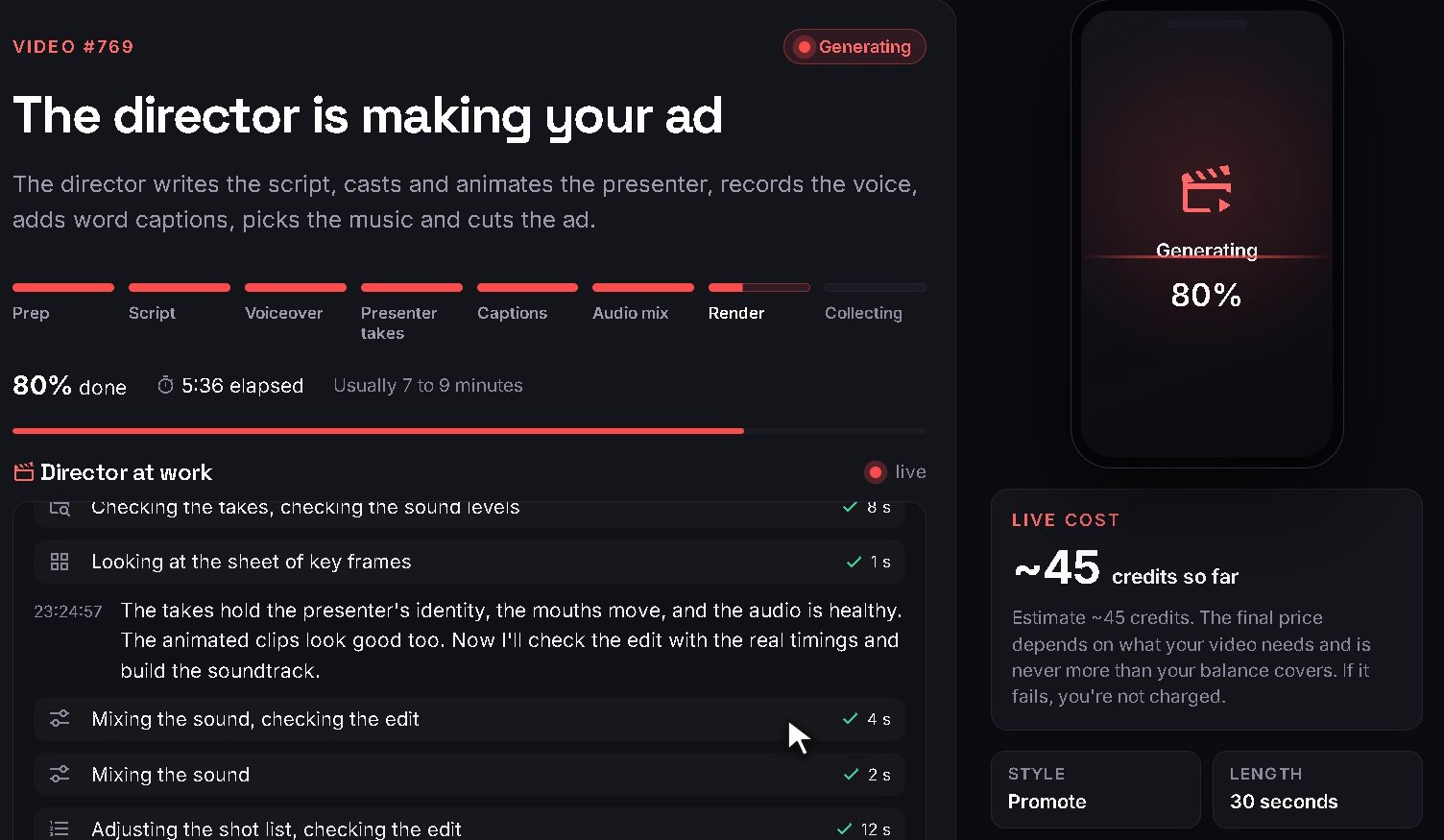
- It checks its work. It looks at the presenter's face, mouth and audio on every talking shot and at a sheet of frames before the render.
- It explains itself. You watch its notes live while it works, and the production notes keep the script and the choices behind the cut.
- It takes direction. Within 72 hours, tell it what to change in plain words. The same director picks up with everything it knew and remakes only what changes.
A real run, minute by minute
This is not a diagram of how an agent should work. It is what the director did while it made one of the ads on this site, the Paneglow window-cleaning ad, with the time of each step taken from that run's own log. The steps are the same plain-word notes you see on the progress page while your ad is being made.
1Reading0:00 to 0:23
- 0:05Looking over the pictures
- 0:08Searching the web
- 0:09Reading a web page
- 0:19Collecting real material from the site
2Planning0:23 to 3:20
- 0:23Noting the decisions
- 1:32Checking the work
- 2:29Reading the shot list again
- 2:29Adjusting the shot list
3The shoot3:20 to 6:52
- 3:20Starting the shoot
- 3:22Composing the music
- 3:22Making a picture
- 3:22Recording the voice
- 3:33Animating a scene
- 3:38Timing every spoken word
- 3:42Styling the look
- 3:45Filming take A
- 3:46An assistant is checking the footage
- 5:59Checking on the shoot
- 5:59Checking the takes
- 6:04Looking at the takes
- 6:09Checking frames of the footage
4The edit6:52 to 8:01
- 6:52Mixing the sound
- 7:05Looking at the sheet of key frames
- 7:41Building a custom scene
5Render and cover8:01 to 9:50
- 8:01Rendering the final video
- 9:26Choosing the cover picture
- 9:27Looking at the cover picture
Notice where the time goes. Less than half a minute is reading. Almost three minutes are spent deciding before anything is filmed, and the shoot itself runs many things side by side: the music, the pictures, the voice and the takes are made at the same time. The checks are not a single step at the end; they follow every stage.
Watch it think
These are the director's own notes on the PhotoRealify ad at the top of this page, shortened:
- Fetched photorealify.com and saved its real before and after examples.
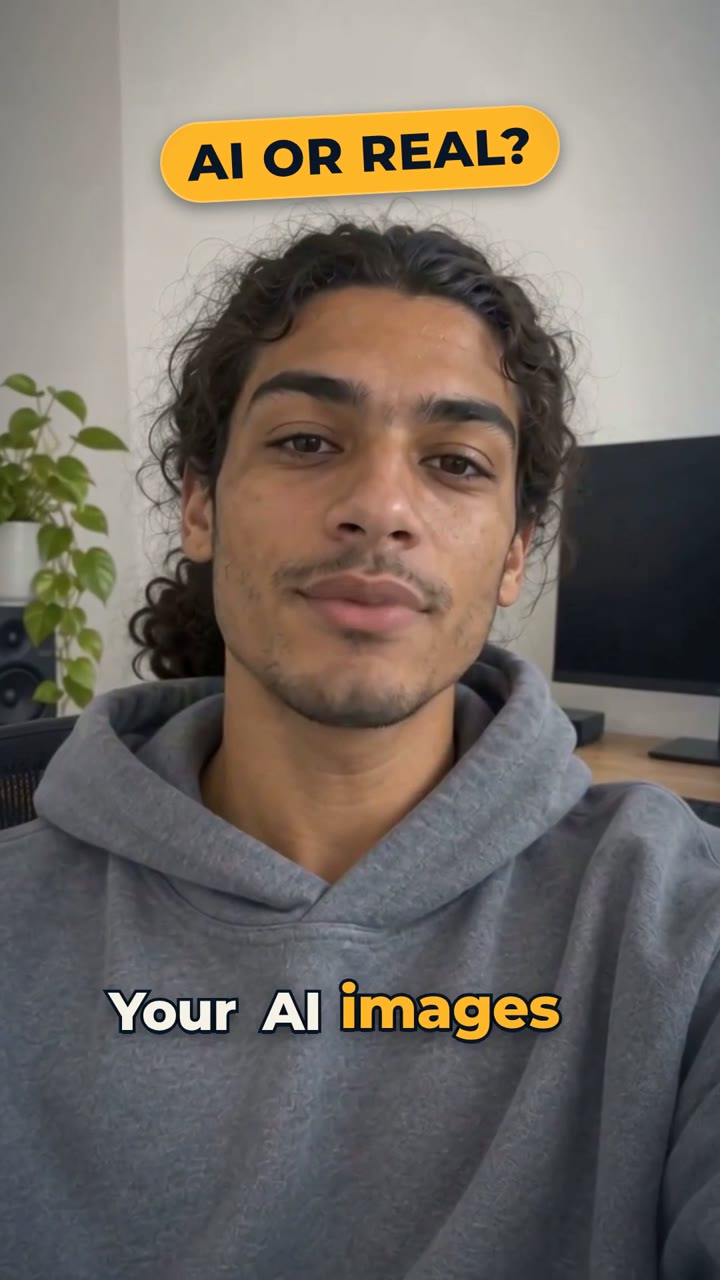
- Hook: the presenter says "Your AI images look AI." under an "AI or real?" tag.
- Voice: warm and relaxed, a young Californian, designed for the presenter and kept for the whole video.
- The site's own before and after photos go in untouched: a wipe, then a zoom.
- Checked the face, mouth and audio of every talking shot, then a frame sheet before the render.
- Every claim (not an upscaler, up to 4x, about sixty seconds, four realism levels) comes from the website itself.
What the agent makes
- A finished, multi-scene 1080x1920 MP4, ready for TikTok, Reels and Shorts.
- A presenter cast for your ad, or the person in your photo, who acts as well as talks.
- A voice designed for that presenter, in English or one of 7 other languages.
- Music composed for the ad, and word-by-word captions, each one a switch in the composer.
- Graphics built for the ad: phone screens, counters, price tags, split screens.
- A title, a description, hashtags and a cover picture, and one-click posting to TikTok, Instagram and YouTube Shorts. Or download the MP4 and post it yourself anywhere: no account connecting needed.